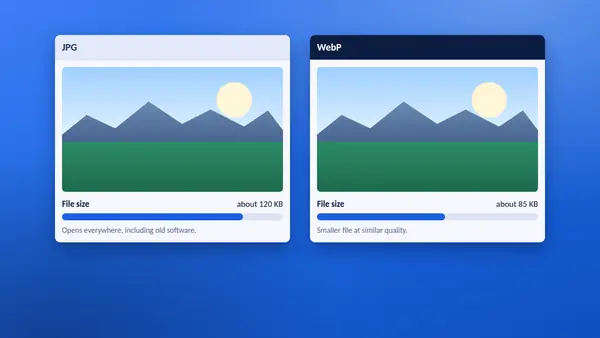
YT Saver offers each thumbnail in two formats. The picture looks the same in both. The difference lies in file size and in where the file will open.
JPG in brief
- The standard photo format for decades.
- Opens in every browser, phone, office program and image editor.
- Larger files than WebP at the same quality.
WebP in brief
- A newer format developed for the web.
- Noticeably smaller files at similar quality.
- Supported by all current browsers and most modern software, but some older programs cannot open it.
Side by side
| JPG | WebP | |
|---|---|---|
| File size | Larger | Smaller |
| Opens in old software | Yes | Not always |
| Works in current browsers | Yes | Yes |
| Accepted by office programs | Yes | Varies |
| Best for | Sharing and editing | Websites |
Choose JPG when
- the image is going into a document, a slide or an email,
- you will open it in an older image editor,
- you are sending it to someone and do not know what they use.
Choose WebP when
- the image is going on a web page and loading speed matters,
- you are saving many thumbnails and want to save space,
- your tools are up to date.
Does one look better?
At thumbnail sizes you are unlikely to see a difference. Both are compressed versions of the same original. If you plan to edit the image heavily, start from the largest size available, whichever format you pick.
Converting later
You can turn a WebP into a JPG, or the other way round, in most image editors by opening the file and using Save as or Export. Converting does not bring back detail, so avoid converting the same image several times.
What about PNG?
YouTube does not store thumbnails as PNG, so YT Saver does not offer it. If you need a PNG, save the JPG and export it from an image editor.
How to switch in YT Saver
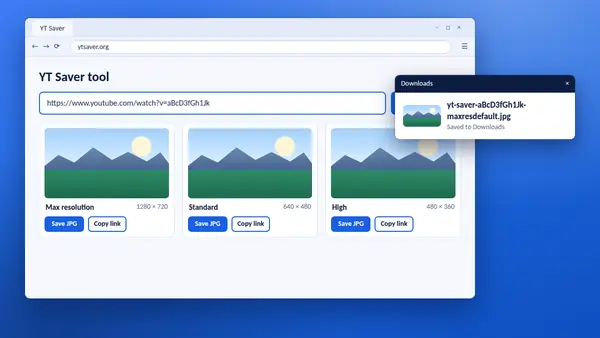
After you paste a link into the YT Saver tool, use the Format menu above the thumbnails. All five sizes change at once, and the Save buttons follow.