People often arrive at YT Saver looking for a way to keep a video for a flight or a train journey. YT Saver works with thumbnails and links. It does not download videos. YouTube has its own offline features, and they are the reliable way to do it.
Why YT Saver does not download videos
YouTube's terms do not allow downloading videos unless YouTube itself offers a download button or link for that video. Tools that pull video files from the site work against those terms and often against the wishes of the people who made the videos. We keep YT Saver to what is openly available: the thumbnail image and the link.
Offline downloads in the YouTube app
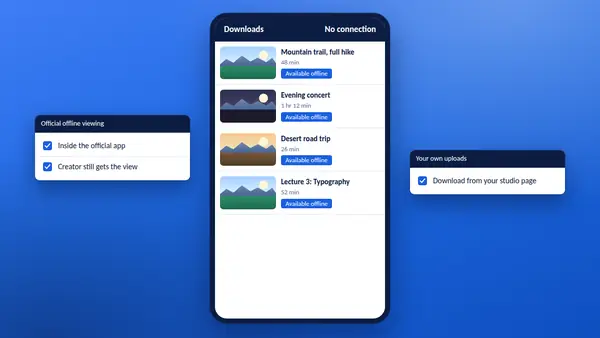
The YouTube app on phones and tablets has a Download button under videos. With a YouTube Premium membership it is available on most videos. In some countries it is also offered on selected videos without a membership.
- Open the video in the YouTube app while you are connected.
- Tap Download and choose a quality.
- Find the video later under Downloads in your library.
Downloaded videos stay inside the app. The app needs to go online from time to time to keep them available. What is offered changes by country and over time, so check the app or YouTube Help for the current details.
YouTube Music and YouTube Kids
Both apps have their own offline options along the same lines, for music and for children's videos.
Your own uploads
If the video is yours, you do not need any of this. YouTube Studio lets you download a copy of a video you uploaded, from the options menu beside it in your content list. Google Takeout can export a whole channel's uploads at once.
When the creator offers a file
Some creators share their videos for download themselves, through a course platform, a membership page or a link in the description. If you need a file for teaching or a presentation, asking the creator is often quicker than you expect.
Plan for a weak connection
- Lower the playback quality. The video keeps playing on a slow connection.
- Download in the app over Wi-Fi before you travel.
- Save the link with a timestamp, so that you can pick up where you stopped.
What YT Saver can do for you
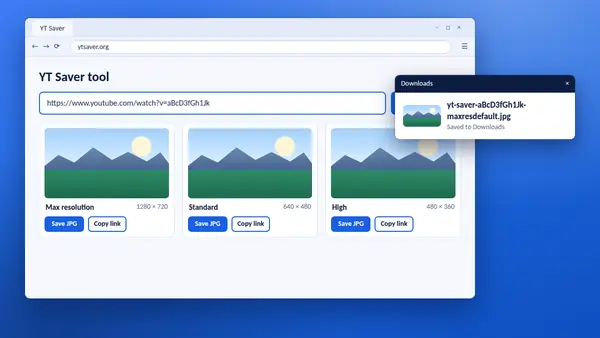
Use the YT Saver tool to save the thumbnail of your own video, build a timestamp link to continue later, or copy embed code for your website.